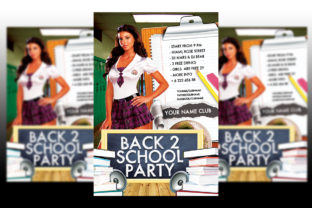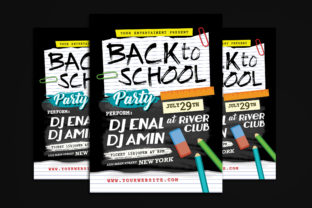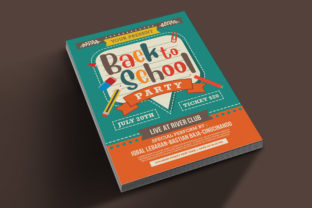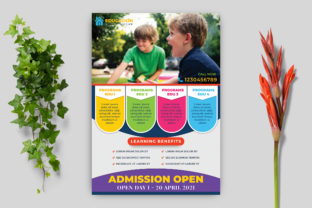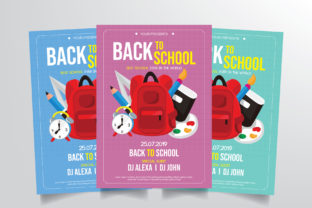
Back to School Flyer Template: More Than Just a Classroom Announcement
When you hear "Back to School Flyer Template," your mind probably jumps to parent-teacher meetings or supply lists. But this versatile Adobe Illustrator file, with its three alternate color schemes and fully editable layers, works in more places than you'd expect. Whether you're a school administrator rushing to get information out or a small business owner tying your marketing to the seasonal shift, this template exists to save you time and make you look polished.
What makes it stand out is the simplicity. Everything inside is organized, labeled, and ready for print at 300 dpi in CMYK color mode. The size, 8.27 x 11.69 inches, matches standard A4 paper, so you're not wrestling with weird margins or scaling issues. And because it uses only free fonts, you avoid those awkward licensing headaches. But let's move past the specs and talk about where this template actually shines.
Schools and Educators Who Need to Move Fast
If you're a teacher, principal, or PTA volunteer, August and September are chaos. You need to communicate open houses, orientation schedules, bus route changes, and supply deadlines all at once. And you need it to look good, fast. That's where this Back to School Flyer Template becomes less of a design tool and more of a time machine.
Instead of starting from a blank canvas, you open the file and immediately see where text goes. The three color alternatives let you match your school's brand without starting over. Maybe you use the blue version for general announcements and the warmer orange palette for sports sign-ups. Each variant maintains the same layout, so consistency holds across your materials.
Consider a scenario where a middle school needs to distribute a uniform policy reminder. With this template, you drop in your school logo, adjust the text boxes, and print. No fighting with alignment or wondering if the fonts will embed correctly. The print-ready setup means what you see on screen matches what comes off the press.
Daycare Centers and Early Learning Programs
Daycares and pre-K programs have their own rhythm. Enrollment windows, meet-the-teacher nights, and themed activity calendars all need clear visual communication. But here's the thing: parents of young children are often scanning flyers while juggling bags, strollers, and sleepy toddlers. Your flyer needs to be readable at a glance.
The Back to School Flyer Template handles that well. Its straightforward layout doesn't bury important details under decorative clutter. You can highlight the date, time, and location prominently while using the secondary space for notes like "bring a change of clothes" or "snack sign-up available."
Another practical angle: many daycare centers operate on tight budgets. Hiring a designer for seasonal flyers isn't realistic. With this template, someone on staff who knows basic Illustrator can produce professional materials inhouse. It respects your time and your budget while still looking like you care about presentation.
If you run a home-based daycare, the editing process is even simpler. You might swap in a photo of your play area, adjust the color to match your personal brand, and update the text with your program details. The result feels custom without requiring custom design skills.
Churches, Community Groups, and Nonprofits
Back-to-school season isn't just about traditional classrooms. Many churches host backpack drives, school supply giveaways, or blessing of the backpacks events. Community centers run after-school program enrollment. Nonprofits promote tutoring services or mentorship opportunities. All of these need clear, attractive flyers that stand out on bulletin boards and in social media feeds.
The Back to School Flyer Template fits here because its tone is neutral but warm. It doesn't scream "school only." Instead, it creates a framework you can adapt. A church might use the red color variant to emphasize urgency for a donation drive. A nonprofit could use the green version to align with a growth or nature theme.
One thing I've noticed: community organizers often need to make last-minute changes. Maybe the location shifts, or the time adjusts by an hour. Because this template is structured with organized layers in Adobe Illustrator, you can find and fix the affected text in seconds. That agility matters when your event is a week away and details are still evolving.
Local Businesses Capitalizing on the Season
Small businesses love seasonal hooks. A coffee shop might advertise a "back-to-school breakfast special" for parents. A bookstore can promote study guides or reading challenges. A clothing boutique can push new fall outfits or uniform accessories. The key is making your promotion feel timely and relevant without looking like an afterthought.
Using this template, a local business owner can create a window flyer that says "We've Got Your School Supplies" or "Fuel Your Mornings During Drop-Off." The design language reads as professional and seasonal, which helps you blend into the broader back-to-school conversation.
Here's an example: a family-owned ice cream shop wants to host a "First Day of School Free Cone" event. With the Back to School Flyer Template, they can put the date, time, and conditions in clean text blocks. Add a photo of a smiling kid with a cone, and you have a promotional piece that feels both personal and purposeful. The 300 dpi resolution ensures the printed version looks sharp on glossy paper or cardstock.
Another consideration: if your business runs multiple locations, you can duplicate the Illustrator file and customize each one with specific addresses or hours. The organized layer structure makes batch editing manageable.
Coaches, Tutors, and Extracurricular Programs
Not every back-to-school flyer is about academics. Sports teams, music lessons, dance studios, art classes, and tutoring centers all need to recruit during this window. Parents are actively looking for ways to fill afternoons and weekends. A well-designed flyer can be the difference between a full roster and empty slots.
The Back to School Flyer Template works well here because you can emphasize the "enroll now" message without competing with decorative noise. If you're a soccer coach, you put registration dates, practice location, and age groups front and center. The three color options let you choose something energetic, like a bright blue or orange, to match the sporty vibe.
I've seen music teachers use this template to advertise fall lesson openings. They replaced the placeholder text with instrument icons (yes, you can add those in Illustrator) and kept the layout clean. The free font requirement means they didn't have to worry about the parents receiving a PDF that looks different than intended. Everything renders consistently.
For tutoring services, credibility matters. A polished flyer signals that you are organized and professional. Parents notice that. And because the template is ready for print, you can produce handouts for coffee shops, library bulletin boards, and school backpack mailers with minimal effort.
What to Consider Before You Start Editing
Let's talk about a few things that will make your experience smoother. First, the template uses free fonts, which means you need to download and install them before opening the file. The listing should specify which fonts are used. Installing them takes five minutes and saves you from missing font errors later.
Second, since the color mode is CMYK, your digital preview might look slightly different from the printed result. This is normal. CMYK is designed for print, and what you see on screen is an approximation. If color accuracy is critical, request a proof from your printer.
Third, think about your audience. The template is 8.27 x 11.69 inches, which is A4. If you're in the US, that's close to letter size but not identical. Check whether your printer handles A4 or if you need to adjust the scaling. Many print shops accept both, but it's worth confirming upfront.
One limitation worth noting: the template provides three alternate colors, but it does not include multiple layout variations. If you need a completely different visual structure, you'd start from scratch or find another template. However, within those three color options, you have flexibility to customize text, swap images, and change small design elements.
Making the Template Work for Your Specific Needs
Everyone who opens this file comes with a different purpose. A school secretary needs speed and accuracy. A business owner wants brand alignment. A volunteer crafter needs guidance. The beauty of an organized Illustrator file is that it meets you where you are.
If you're not a design expert, the well-organized layers act like a safety net. You can edit the text without accidentally moving a shape or changing a color. If you are a designer, the clean file structure gives you a head start so you can focus on finer adjustments rather than rebuilding.
Think about the real endgame here: someone receives your flyer, reads it, and takes action. They show up to the event, enroll their child, buy the product, or spread the word. The template doesn't do that work for you, but it removes the friction between your message and its delivery. When your flyer looks intentional and reads clearly, people trust it faster.
Whether you're preparing for a school open house, a community event, a business promotion, or a program launch, the Back to School Flyer Template gives you one less thing to worry about. You can focus on the content and the timing while the design handles itself.
And that's really the point. Good tools let you do your job better without making you learn a new one. This template keeps the focus on what matters: getting the right information to the right people at the right time, with a look that says you put thought into it.